Basic CREATE TABLE statementA very basic CREATE TABLE statement which should work in any SQL database:
mysql> CREATE TABLE example (
         id INT,
         data VARCHAR(100)
       );
Query OK, 0 rows affected (0.03 sec)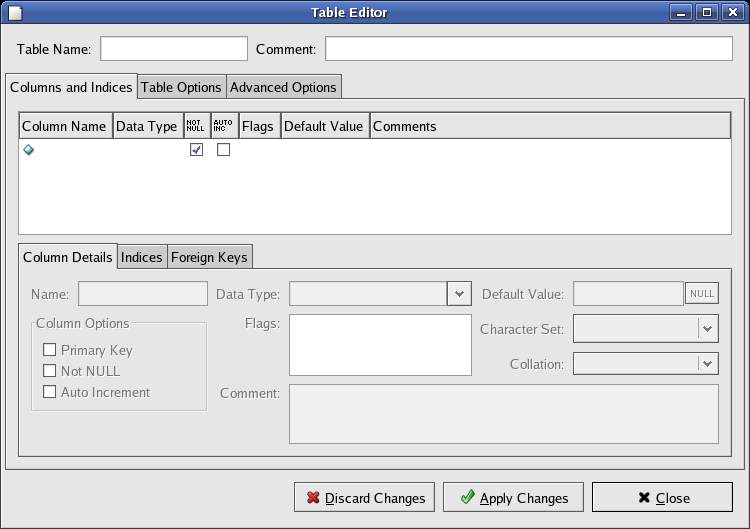
Creating a table with a particular storage engine
MySQL provides a variety of different table types with differing
levels of functionality. The usual default, and most widely used, is MyISAM. Other storage types must be explicitly defined:
mysql>  CREATE TABLE example_innodb (
          id INT,
          data VARCHAR(100)
        ) TYPE=innodb;
Query OK, 0 rows affected (0.03 sec)ENGINE=innodb is the preferred method of defining the storage type.Use SHOW CREATE TABLE (see below) to check that MySQL has created the table as you defined it.
Creating a table with auto_incrementOften you'll want to be able to automatically assign a sequential value to a column:
mysql> CREATE TABLE example_autoincrement (
         id INT NOT NULL AUTO_INCREMENT PRIMARY KEY,
         data VARCHAR(100)
       );
Query OK, 0 rows affected (0.01 sec)

mysql> INSERT INTO example_autoincrement (data)
    ->      VALUES ('Hello world');
Query OK, 1 row affected (0.01 sec)

mysql> SELECT * FROM  example_autoincrement;
+----+-------------+
| id | data        |
+----+-------------+
|  1 | Hello world |
+----+-------------+
1 row in set (0.01 sec)
Creating a table with the current timestampOften it's useful to have an automatic timestamp on each record. The MySQL special datatype TIMESTAMP enables you to keep track of changes to a record:
mysql> CREATE TABLE example_timestamp (
         id INT NOT NULL AUTO_INCREMENT PRIMARY KEY,
         data VARCHAR(100),
         cur_timestamp TIMESTAMP(8)
       );
Query OK, 0 rows affected (0.00 sec)

mysql> INSERT INTO example_timestamp (data)
            VALUES ('The time of creation is:');
Query OK, 1 row affected (0.00 sec)

mysql> SELECT * FROM example_timestamp;
+----+--------------------------+---------------------+
| id | data                     | cur_timestamp       |
+----+--------------------------+---------------------+
|  1 | The time of creation is: | 2004-12-01 20:37:22 |
+----+--------------------------+---------------------+
1 row in set (0.00 sec)

mysql> UPDATE example_timestamp
          SET data='The current timestamp is: '
        WHERE id=1;
Query OK, 1 row affected (0.03 sec)
Rows matched: 1  Changed: 1  Warnings: 0

mysql> SELECT * FROM example_timestamp;
+----+---------------------------+---------------------+
| id | data                      | cur_timestamp       |
+----+---------------------------+---------------------+
|  1 | The current timestamp is: | 2004-12-01 20:38:55 |
+----+---------------------------+---------------------+
1 row in set (0.01 sec)Creating a table with TIMESTAMP DEFAULT NOW()MySQL supports the construct TIMESTAMP DEFAULT NOW() only from verson 4.1:
CREATE TABLE example_default_now (
  id INT NOT NULL PRIMARY KEY AUTO_INCREMENT,
  data VARCHAR(100),
  created TIMESTAMP DEFAULT NOW()
);For versions prior to 4.1, the only workaround is to create two timestamp columns in a table, and explicitly set the second one when inserting the record. Remember: the first TIMESTAMP will be automagically updated on each record update.
Viewing a table definitionFor basic information on table columns, use DESC tablename:
mysql> DESC example;
+-------+--------------+------+-----+---------+-------+
| Field | Type         | Null | Key | Default | Extra |
+-------+--------------+------+-----+---------+-------+
| id    | int(11)      | YES  |     | NULL    |       |
| data  | varchar(100) | YES  |     | NULL    |       |
+-------+--------------+------+-----+---------+-------+
2 rows in set (0.00 sec)
mysql> SHOW CREATE TABLE example;
+---------+------------------------------------------------+
| Table   | Create Table                                   |
+---------+------------------------------------------------+
| example | CREATE TABLE `example` (
  `id` int(11) default NULL,
  `data` varchar(100) default NULL
) ENGINE=MyISAM DEFAULT CHARSET=latin1 |
+---------+------------------------------------------------+
1 row in set (0.00 sec)
news source: http://sql-info.de/mysql/examples/CREATE-TABLE-examples.html 


